Setting up the agency
The office side of NSPIREos lives at app.goNSPIREos.com/admin.html, meant for a computer. Sign in with the same email and password as the inspector app. Admins and supervisors see every page; an inspector who opens it sees only their own inspections.
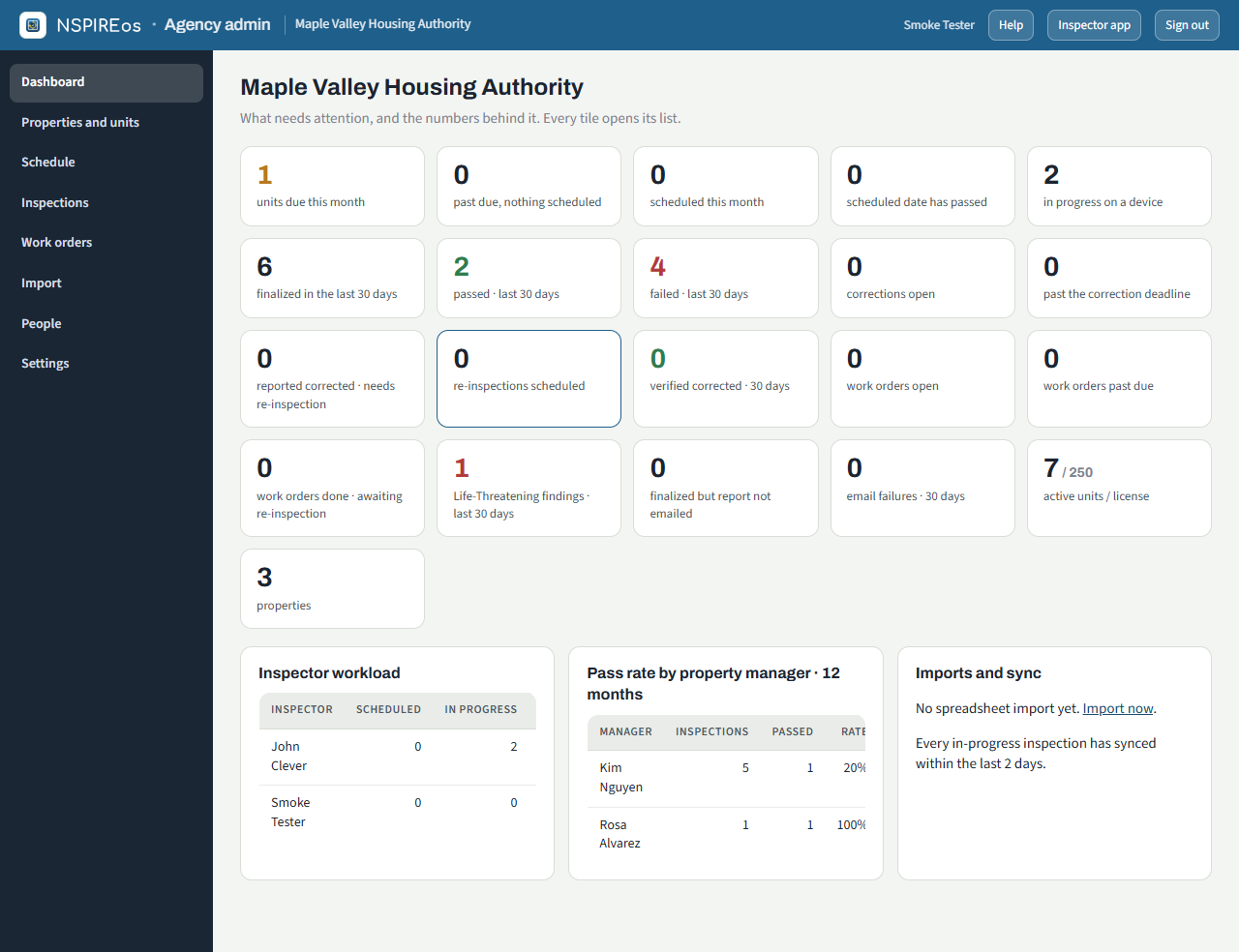
The dashboard
What needs attention, with the numbers behind it. Every tile opens its list: units due this month, past due with nothing scheduled, scheduled dates that have passed, inspections in progress on a device, finalized / passed / failed in the last 30 days, corrections open and past deadline, re-inspections scheduled, work orders open and past due, Life-Threatening findings, reports not emailed, email failures, and active units against the license. Below: inspector workload, pass rate by property manager over 12 months, and import and sync health.
People
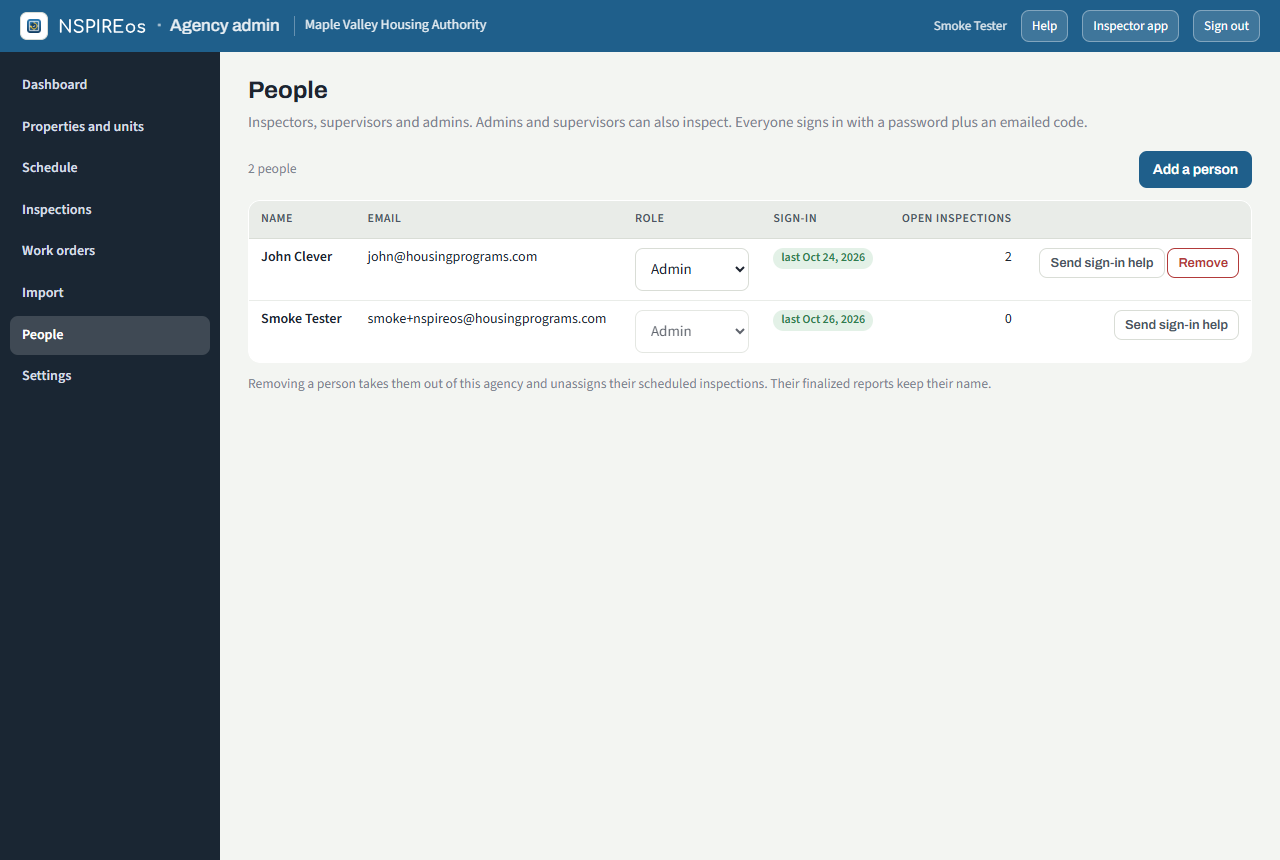
People lists everyone at the agency with their role. Add a person takes a name, email and role; they get a six-digit setup code by email and choose their own password the first time they sign in. Resend sends a fresh code; Remove takes them off the agency (their past inspections stay).
| Role | Can |
|---|---|
| Inspector | Use the phone app: their own schedule, start, walk, finalize. |
| Supervisor | Everything an inspector can, plus every office page. |
| Admin | Everything, including People and Settings. |
Settings
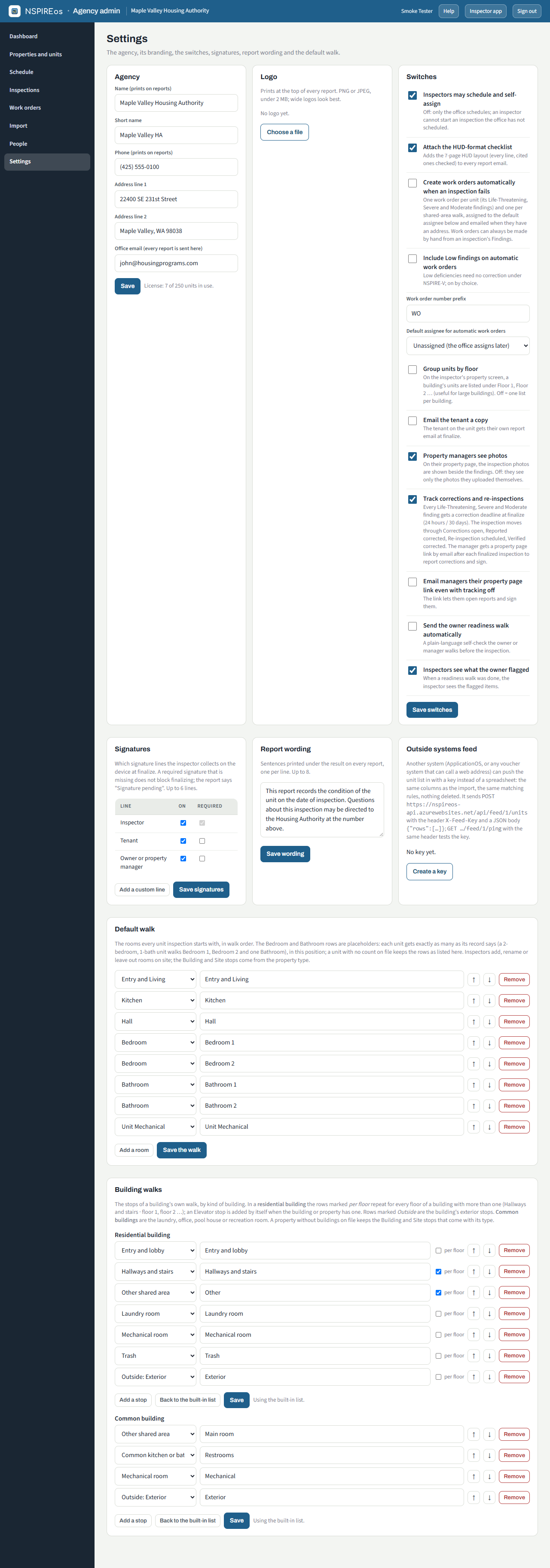
Agency: the name, short name, phone and address that print on every report, and the office email that receives every report.
Logo: PNG or JPEG under 2 MB; it prints at the top of every report. Wide logos look best.
Switches:
| Switch | What it does |
|---|---|
| Inspectors may schedule and self-assign | Off: only the office schedules, and an inspector cannot start a unit the office has not scheduled. |
| Attach the HUD-format checklist | Adds the 7-page HUD layout (every line, cited ones checked) to every report email. |
| Create work orders automatically when an inspection fails | One work order per failed unit and one per shared-area walk, assigned to the default assignee and emailed when they have an address. See Work orders. |
| Include Low findings on automatic work orders | Low deficiencies need no correction under NSPIRE-V; on by choice. |
| Work order number prefix / default assignee | "WO" gives WO-00001, WO-00002… The assignee is a person from People. |
| Group units by floor | The inspector's property screen lists a building's units under Floor 1, Floor 2… |
| Email the tenant a copy | The tenant on the unit gets their own copy of the report at finalize: their name on the cover, and in Spanish when the unit says so (see the unit form). |
| Property managers see photos | Inspection photos show on the manager's property page beside the findings. Off: they see only photos they uploaded themselves. |
| Track corrections and re-inspections | Correction deadlines at finalize (24 hours / 30 days), the Corrections column, and a property page link emailed to the manager after every finalized inspection. See Schedule and inspections. |
| Email managers their property page link even with tracking off | The link lets them open reports and sign them. |
| Send the owner readiness walk automatically | Every Initial inspection the office schedules emails the owner or manager the plain-language readiness checklist. See The readiness walk. |
| Inspectors see what the owner flagged | With a completed readiness walk, the inspector's Start screen lists the items the owner flagged. Off: only that the walk was done. |
Signatures: which signature lines the inspector collects on the device at finalize (inspector, tenant, owner, and up to six lines in all, with your own labels), and which are required. A missing required signature does not block finalizing; the report says "Signature pending".
Report wording: up to eight sentences printed under the result on every report.
Outside systems feed: a key another system (ApplicationOS, or any voucher system that can call a web address) uses to push the unit list in instead of a spreadsheet. Same columns and matching rules as the import, nothing deleted. Create a key shows it once; Revoke stops it. The dashboard shows when the last feed arrived.
Default walk: the rooms every unit inspection starts with, in walk order. The Bedroom and Bathroom rows are placeholders: each unit gets exactly as many as its record says. Inspectors can add, rename or leave out rooms on the day, and save their own templates.
Building walks: the stops of a building's own walk, one list for a residential building and one for a common building (laundry, office, pool house, recreation room). In the residential list, rows marked per floor repeat for every floor of a building with more than one ("Hallways and stairs · floor 2"); an Elevator stop is added by itself when the building or the property has one; rows marked Outside are the building's exterior stops. Until you save a list the built-in one is used, and Back to the built-in list restores it. A property with no buildings on file keeps the Building and Site stops that come with its type.
Your license
The dashboard's last tile shows active units against the units included in the agency's license, and the dashboard says who the agency is licensed to. The unit count is a soft cap: a banner appears over the limit, and nothing stops an inspection. To raise it, contact Housing Programs Software.