Properties, units, buildings and import
Properties and units
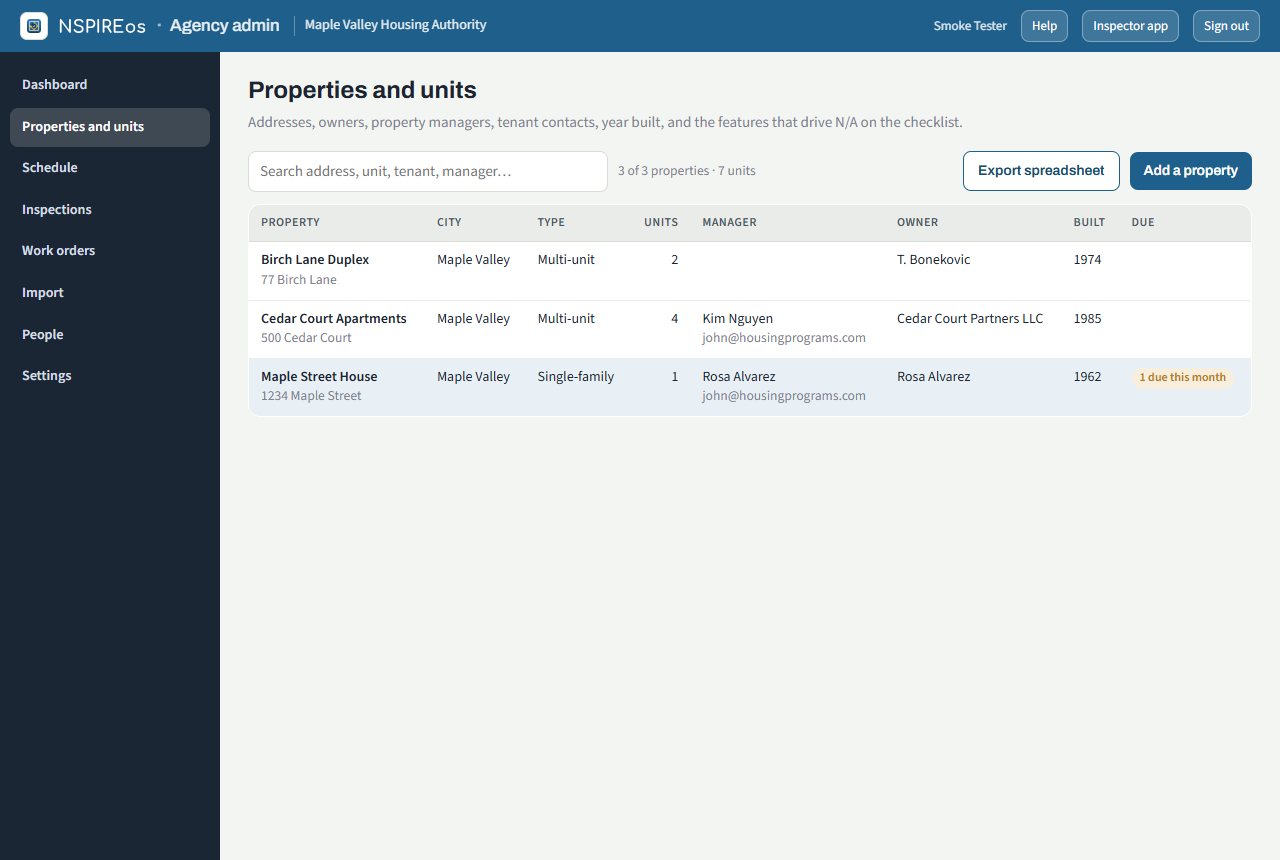
Properties and units lists every property with its unit count, manager and next due date. Add a property takes the name, address, type, year built, features (parking lot, elevator, pool, fire doors and so on, which decide which checklist lines apply), the manager and owner contacts, and the unit numbers to create.
A property page shows the property card, its buildings, its units and the inspection history at that property.
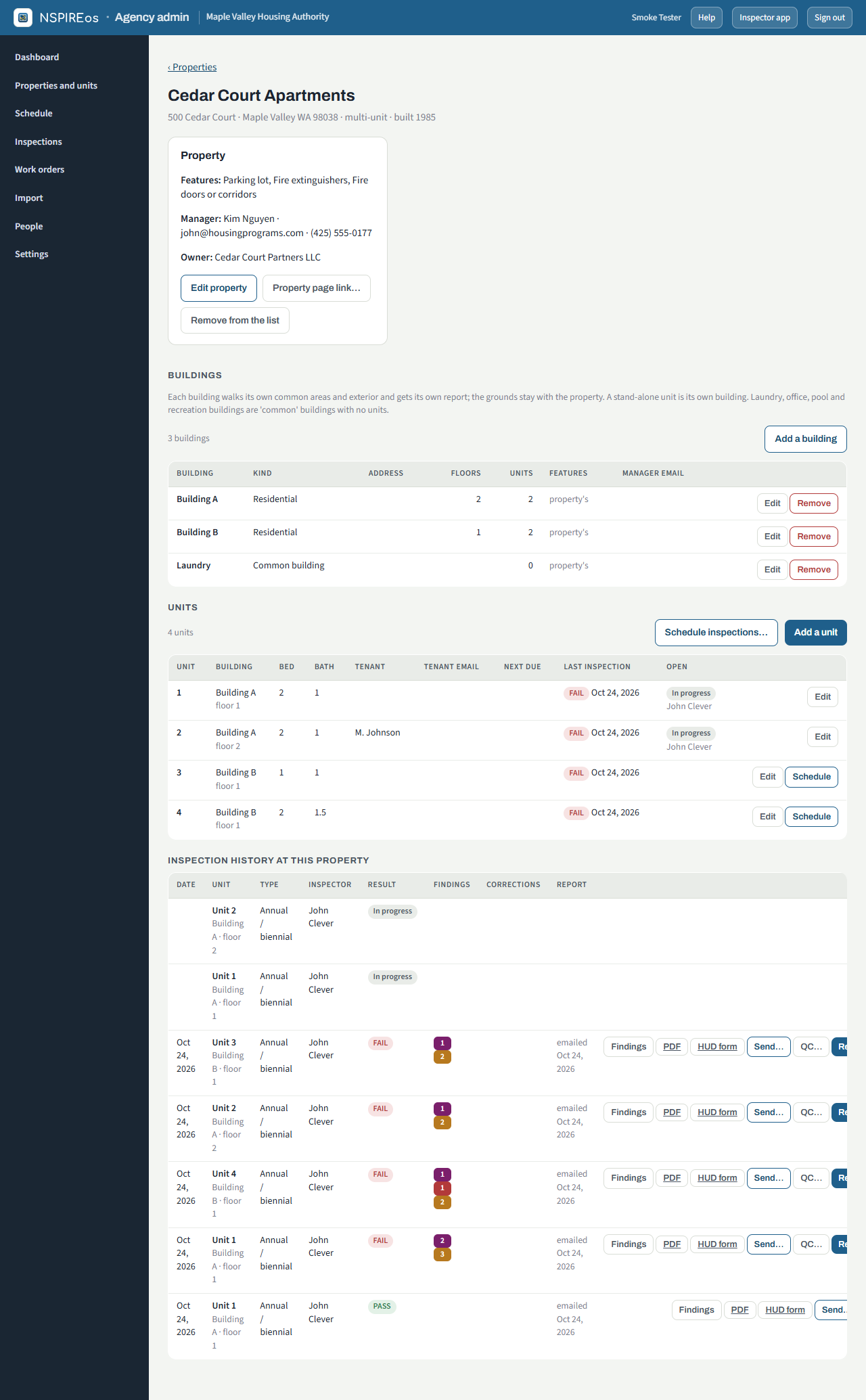
- Edit property changes anything on the card. Property page link… creates the manager's or owner's link (see The property page). Remove from the list retires a property; its inspections stay on file.
- Add a unit / Edit: unit number, bedrooms, bathrooms (1.5 = one and a half), levels inside the unit, building and floor, tenant name, email and phone, Tenant copy of the report (English or Spanish), a manager email for this unit when it differs from the property's, and the next inspection due date.
- Schedule on a unit row, or Schedule inspections… for several units at once.
Buildings
A property with more than one building lists them here: label (A, B, 1, 2 or the street number), kind, own address, floors, units, features and a manager email for the building report. Features default to the property's; tick Same as the property off to give one building its own list, so an elevator in building A does not put elevator lines into building B's walk. The building's list decides which checklist lines apply inside it and on its exterior, on the inspector's phone, on the report and on the owner readiness walk. Each residential building walks its own common areas and exterior and gets its own report; the grounds stay with the property. A stand-alone unit is its own building. Common buildings (laundry, office, pool, recreation) have no units and walk Main room, Restrooms, Mechanical and Exterior. Add a building opens a form with a unit picker to move units into it.
Import
Import takes an Excel or CSV export from your voucher system. Drop the file in, check the column mapping (headings are matched by name; fix any the mapper missed), look at the preview and import. Rows are matched to existing units by address and unit number (or the external key), so re-importing the same file updates rather than duplicates. The page warns when the import would put the agency over its unit limit.
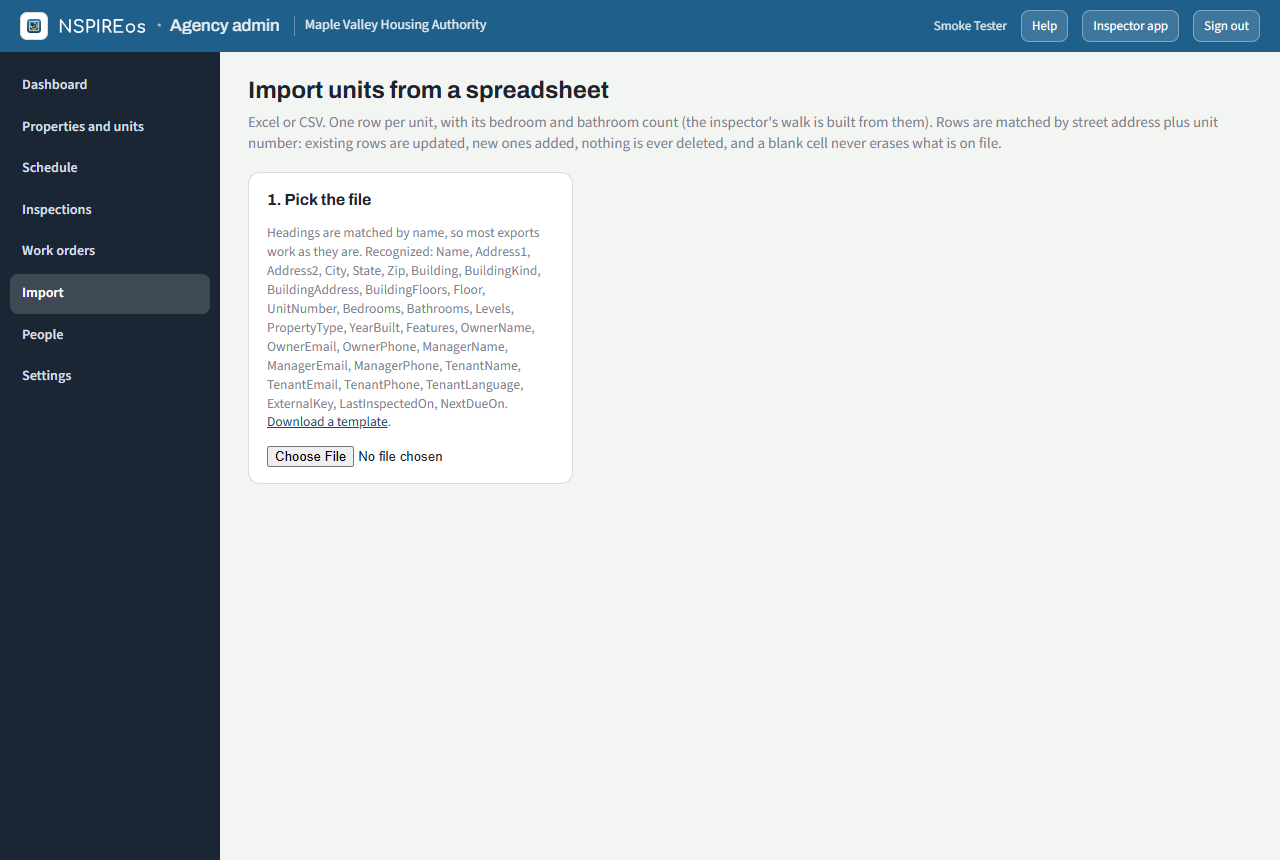
Column headings recognised (case and spaces do not matter):
| Field | Headings |
|---|---|
| Property name | Name, Property, Property Name, Complex, Development, Community, Project, Site, AKA |
| Address | Address, Address1, Street, Street Address; Address2 |
| Unit | Unit, Unit Number, Unit No, Apt |
| City / State / Zip | City; State, ST; Zip, Zip Code, Postal |
| Bedrooms | Bedrooms, Beds, Bed, BD, BR, Bdrms, Bedroom Count, Number of Bedrooms |
| Bathrooms | Bathrooms, Baths, Bath, BA, Full Baths ("1 1/2" and "1½" read as 1.5) |
| Levels in the unit | Levels, Unit Levels, Levels in Unit, Floors in Unit, Unit Stories |
| Building | Building, Bldg, Building No, Building Name, Building Letter; Building Kind / Type; Building Address; Building Floors, Stories |
| Floor | Floor, Floor No, Level |
| Property type / year built | Property Type, Type; Year Built, Built, Year |
| Features | Features |
| Owner | Owner, Owner Name, Landlord; Owner Email, Landlord Email; Owner Phone |
| Manager | Manager, Manager Name, Property Manager; Manager Email; Manager Phone |
| Tenant | Tenant, Tenant Name, Participant, Head, Head of Household; Tenant Email, Participant Email, Email; Tenant Phone, Phone |
| Tenant language | Tenant Language, Language, Preferred Language, Lang, Idioma ("Spanish", "es" or "español" = the Spanish copy) |
| Your system's key | External Key, Key, ID, Household ID, Client ID, Voucher |
| Dates | Last Inspected On, Last Inspected, Last Inspection; Next Due On, Next Due, Due, Next Inspection, Anniversary |
A row with a property name but no street address joins the property of that name when it is already on file. A template with every column is on the Import page.
Feed from another system
Instead of a spreadsheet, another system can push the same rows to NSPIREos with a key: Settings, Outside systems feed. The call is a POST of {"rows":[…]} with the header X-Feed-Key; the response says what was added and updated. The dashboard shows when the last feed arrived. ApplicationOS will use this when its voucher piece exists.
Export
The Inspections page exports a spreadsheet of inspections; the property list exports units with every column above.