Work orders
A work order is the list of what a crew has to fix at one unit or one shared area, who has it, and whether it got done. It is for agencies that maintain their own properties, or that want to hand a landlord's crew a clean list.
Where they come from
- Automatically, when Create work orders automatically when an inspection fails is on (Settings): one per failed unit with its Life-Threatening, Severe and Moderate findings, and one per shared-area walk (building or grounds). Low findings are included only with the second switch. The default assignee gets it by email.
- By hand, from Create a work order… on any inspection's Findings: pick the findings, the assignee (a person from People, or any name and email) and the due date.
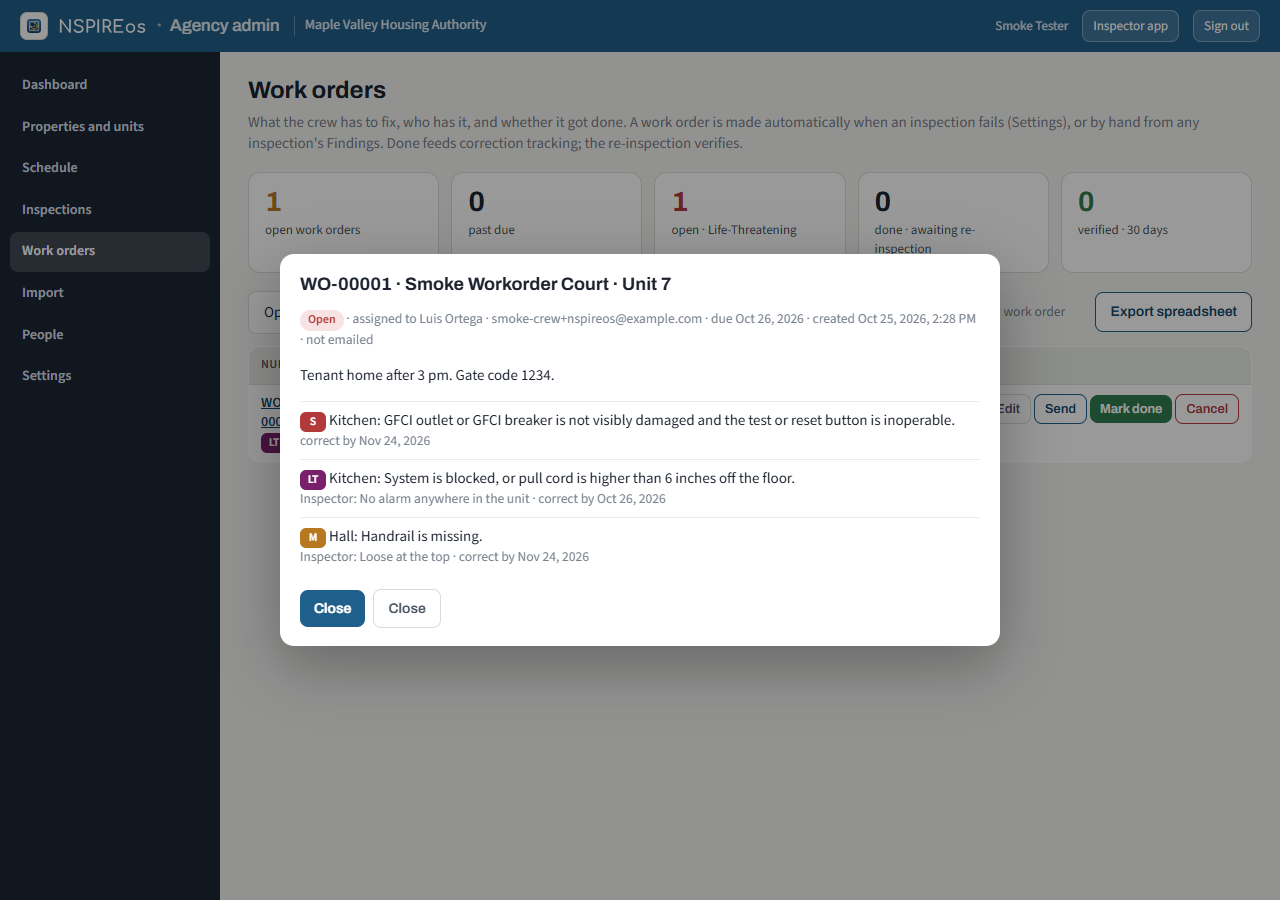
Numbers run WO-00001, WO-00002… with the prefix from Settings. The due date is the earliest correction deadline among its findings. The inspector sees the numbers on the phone's Done screen the moment the inspection is finalized, with who has each one, so they can be quoted to the owner on the spot.
The Work orders page
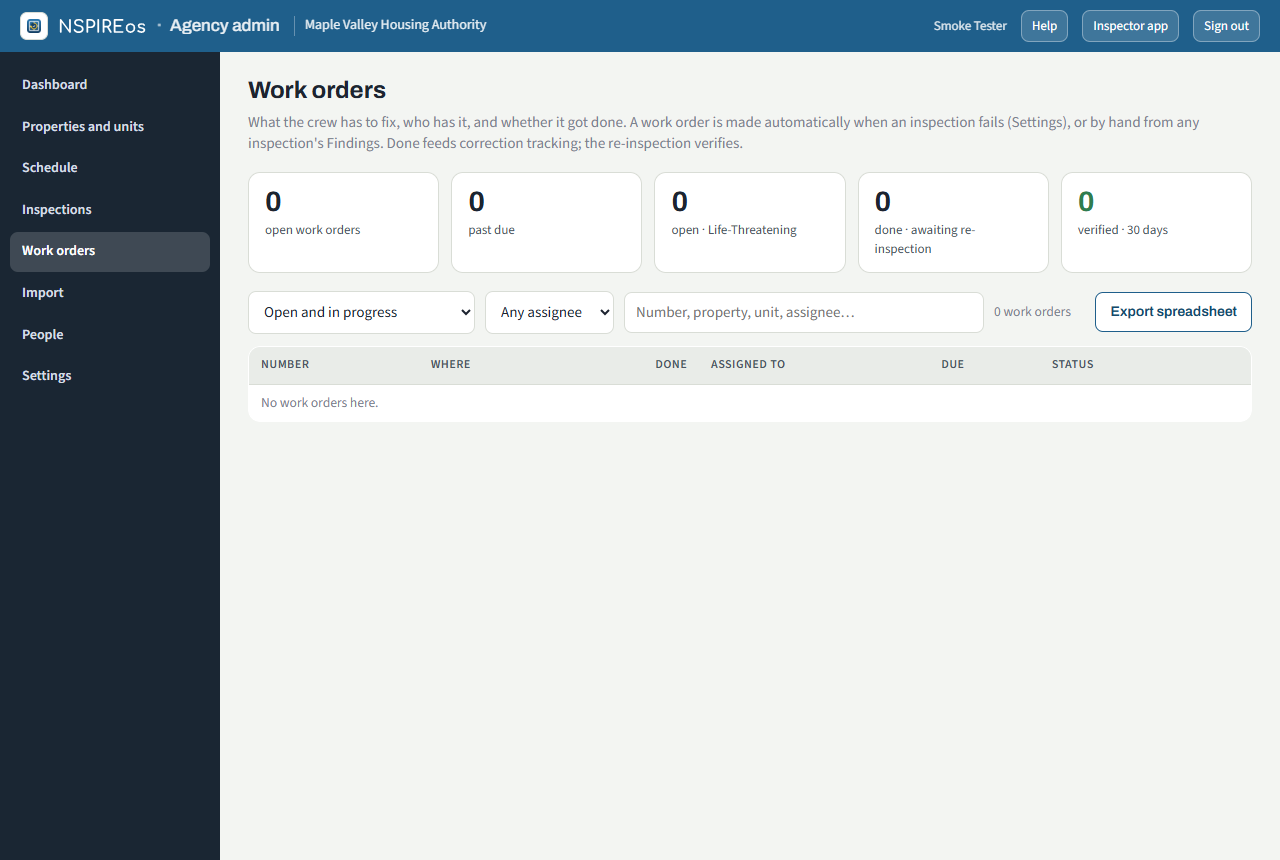
Tiles for open, past due, done and awaiting verification; filters by status, assignee and property; and the table. On a work order: Edit (assignee, due, notes), Send (email it with the crew link and the one-page PDF), Mark done, Cancel, Verify, Reopen, and the detail view with each finding and the crew's after photos.
Status
| Status | How it gets there |
|---|---|
| Open | Created. |
| In progress | The crew tapped Start on their page. |
| Done | The crew or the office marked it done. Its findings are reported corrected on the inspection, the same as if the manager had reported them, and the unit shows Reported corrected · needs re-inspection. |
| Verified | The re-inspection found every finding on it corrected (automatic), or the office verified it by hand. |
| Cancelled | The office cancelled it. |
A re-inspection that finds one of its deficiencies still failing reopens the work order by itself.
The crew's page
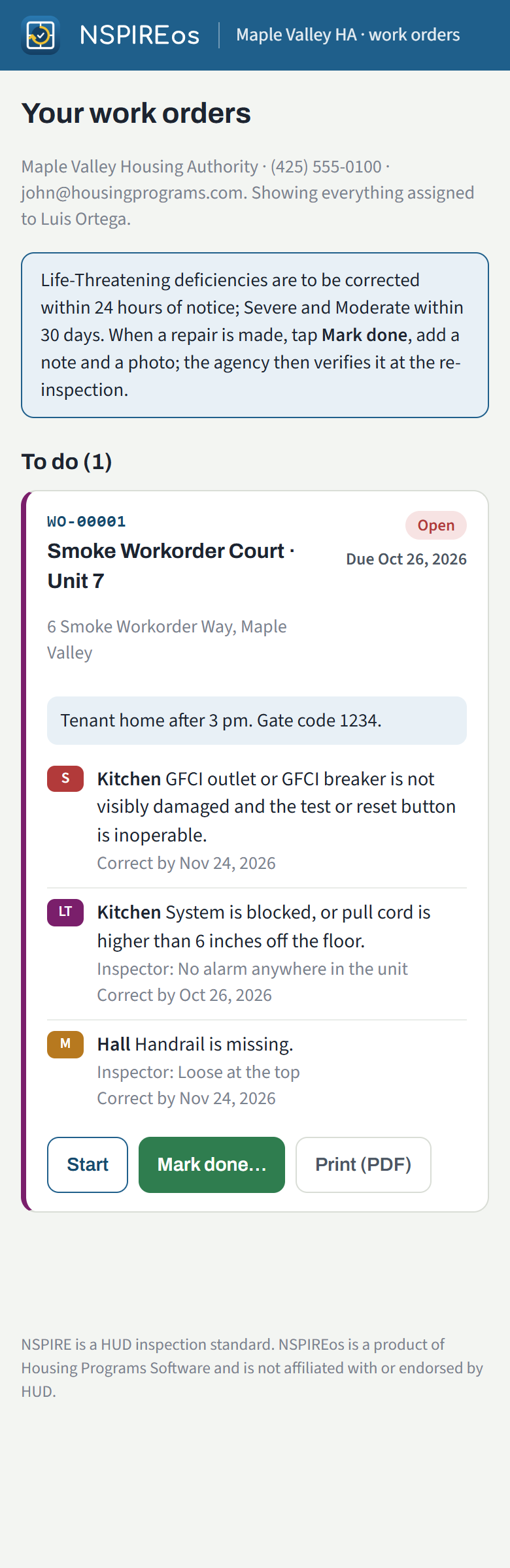
The assignee's email carries a link to their own page listing every work order assigned to them: To do, Done and Verified. On each: Start, Mark done with a note and after photos from the phone, and Print (PDF). No password; the link is theirs alone and works for 180 days. An Español button at the top switches the page to Spanish, deficiency text included (see Spanish text for review).