Review, signatures and finalize
Review
Review shows the result as it stands: PASS or FAIL, the count by severity, every finding with its room, and warnings worth a look before you finalize.
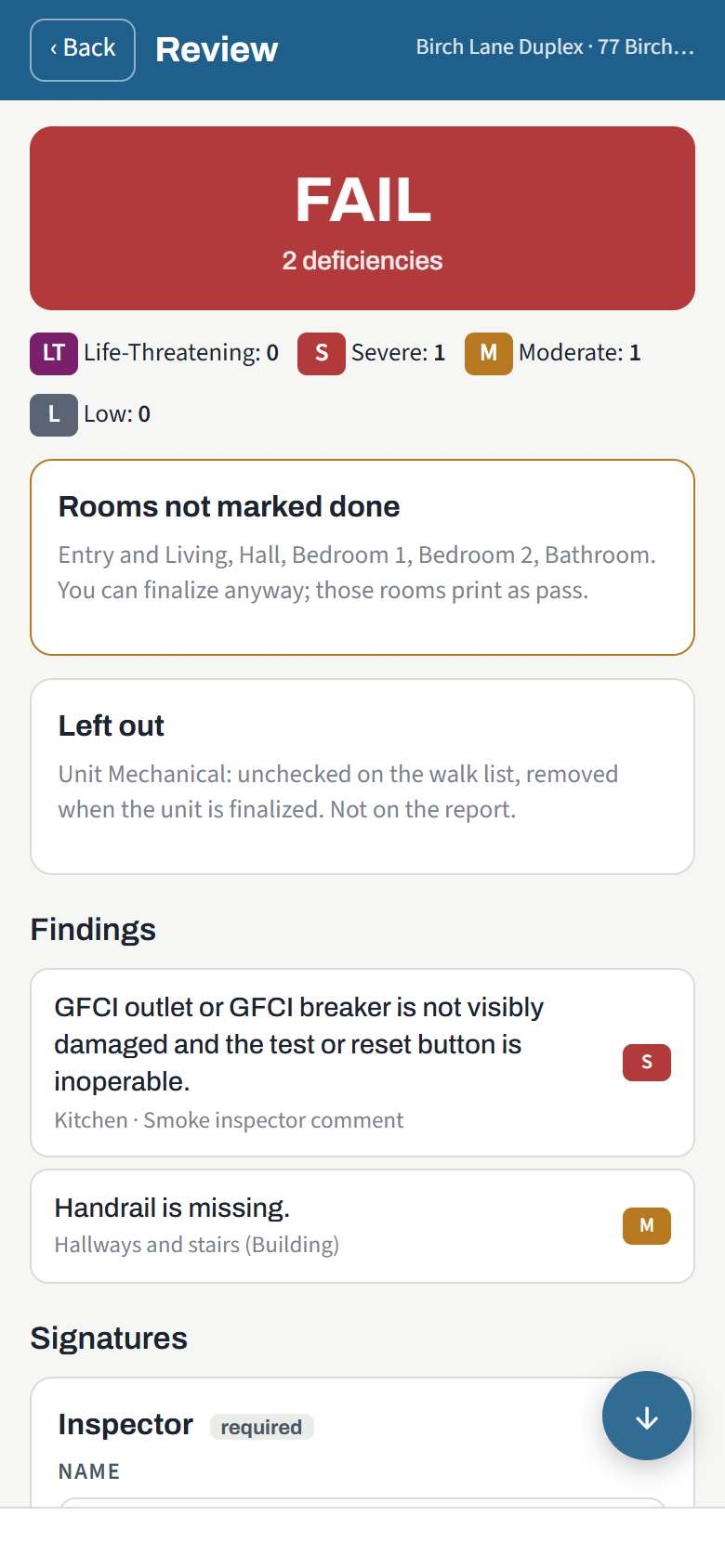
- Rooms not marked done: you can finalize anyway; those rooms print as pass.
- Left out: rooms un-ticked on the walk list. They are removed at finalize and do not print.
- Rooms do not match the record: the walk has a different number of bedrooms or bathrooms than the unit record says. Correct one or the other.
- Carried deficiencies not decided (re-inspections): deficiencies from the previous inspection you have not marked corrected or still failing.
Signatures
The signature lines the agency collects (inspector, tenant, owner or manager, and any custom line) appear at the bottom. Sign in the box with a finger and tap Accept signature. A required signature that is missing does not block finalizing; the report says "Signature pending" and the signature can be added later from the manager's property page.
Finalize
Finalize and send this unit's report locks the inspection, builds the PDF and emails it to the office and to the manager, owner and tenant addresses on file (tenant only when the agency turned that on). The tenant gets their own copy with their name on the cover, in Spanish when the unit says so. With no signal, the unit is finalized on the device and the report goes out when signal returns.
On a multi-unit day, Mark this unit ready and finalize the whole property later sends you back to the property screen; when every unit of a building is ready, Finalize Building A finalizes them all at once with one email carrying every report, the building report and the grounds report.
Pass or fail
A unit fails when it has any Life-Threatening, Severe or Moderate deficiency, in the unit itself or in the day's building and site walk. Low deficiencies are information only: they print on the report, need no correction, and do not fail the unit. See NSPIRE-V in brief.
The Done screen
After finalize:
- Open the PDF and Send to… (type any email address).
- Work orders, when the office has them switched on: the number of each work order made from this inspection (and from the day's shared-area walk), how many deficiencies it carries, who has it and whether it was emailed. Quote the number to the owner or the crew.
- Re-inspection, on a failed unit: schedule the follow-up now, with the date pre-filled at 24 hours when there is a Life-Threatening finding and 30 days otherwise, or leave it to the office.
- Next unit at the property on a multi-unit day, or Back to the property.
Re-inspections
A re-inspection opens with the previous inspection's findings carried in. After Begin the walk, mark each carried deficiency Corrected or Still failing. Still failing keeps the finding on the new report in the same room; corrected closes it on the original inspection. Then walk the rest as usual. The office sees the outcome on both inspections, and a work order tied to those findings is verified or reopened by itself.