Schedule, inspections and corrections
Schedule
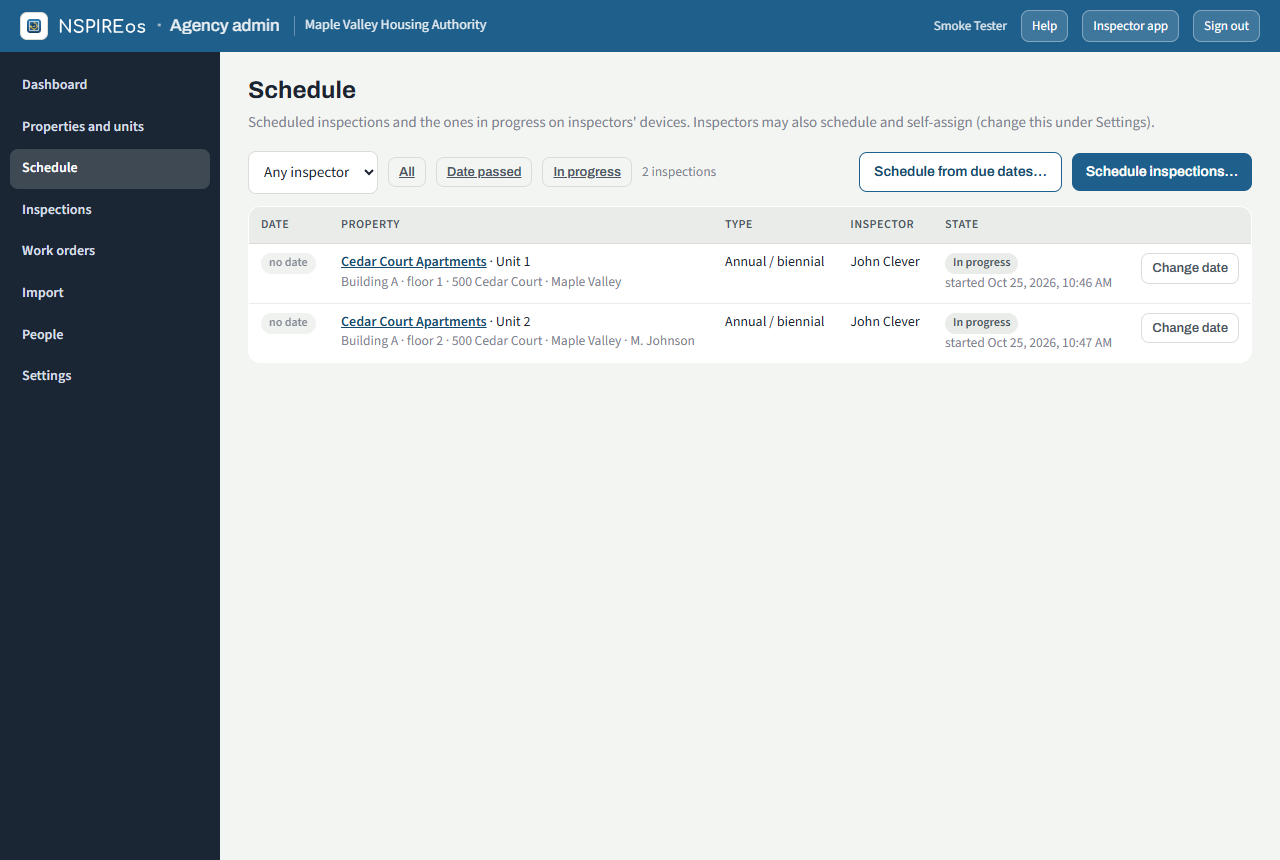
Schedule lists what is scheduled, filtered by inspector, property and date. From here you can schedule units, send the owner a Readiness… walk for a scheduled Initial inspection (see The readiness walk), Schedule from due dates… (every unit whose next due date falls in a window you choose), reschedule, reassign, or delete a scheduled inspection that never started. Scheduled units appear on the inspector's phone the next time it refreshes.
Inspections
Inspections is the history: filter by status (finalized, passed, failed, in progress, scheduled, started in the field), inspector, property, type and dates.
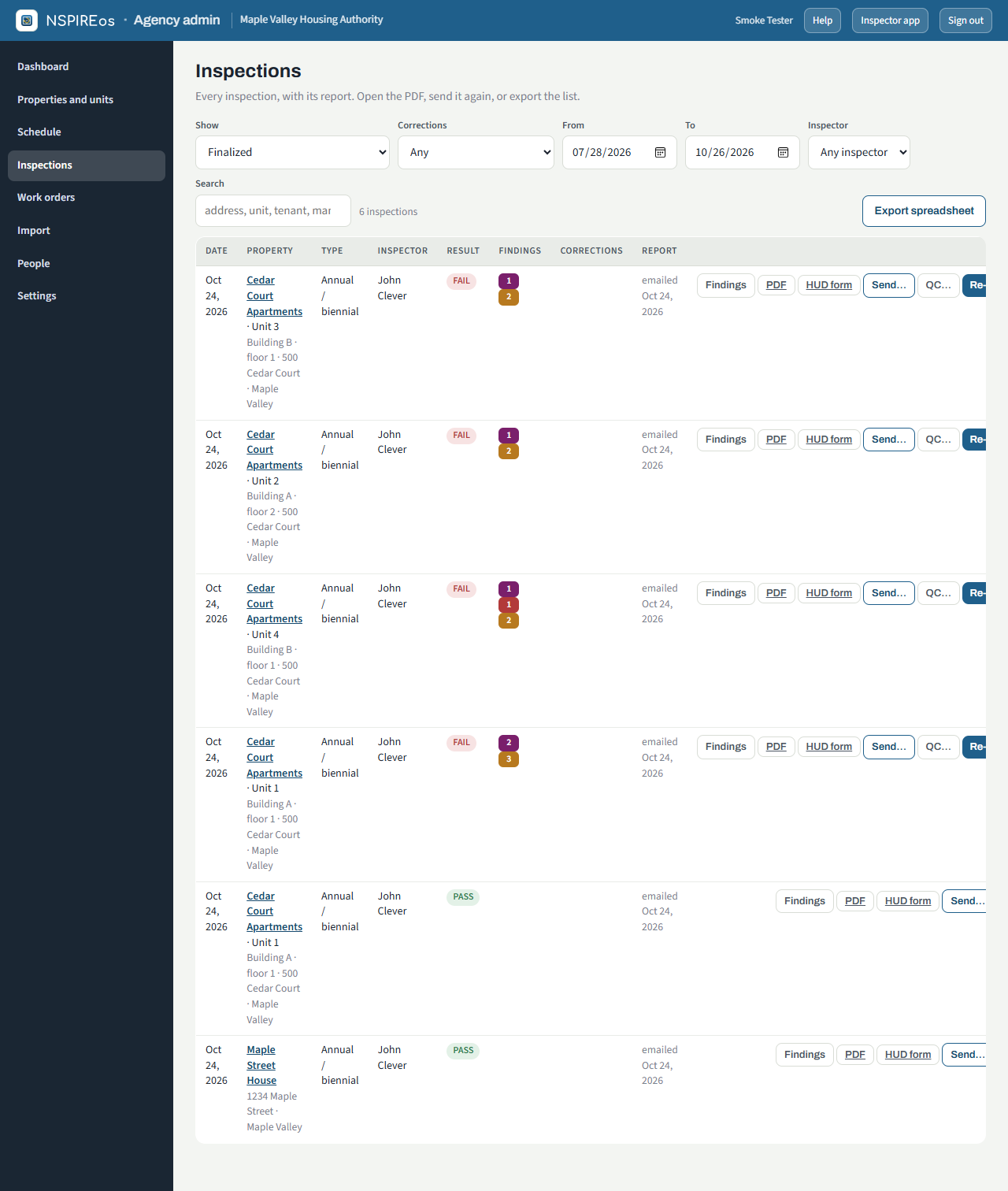
On each row:
- Findings opens every finding with its room, severity, photos, due date, the manager's note and photo if they reported it corrected, and the outcome of the re-inspection. From here, Create a work order….
- PDF is the inspection record; HUD form is the same inspection laid out on HUD's 7-page checklist.
- Send… re-sends the report to any address.
- Re-inspect… schedules the re-inspection and assigns it.
- QC… schedules a quality-control walk: a second inspector walks the same unit without seeing the original findings, and the QC report ends with a comparison (found by both, missed by the original, not found now). Nothing goes to the manager or tenant, no work orders are made, and the original's correction tracking is untouched.
- Español appears when the unit's tenant takes the Spanish copy: the tenant's report with the cover and walk-order parts in Spanish (the HUD-order part stays English because it mirrors HUD's form).
- Export writes the filtered list to a spreadsheet.
Correction tracking
With Track corrections and re-inspections on (Settings), every Life-Threatening, Severe and Moderate finding gets a due date at finalize: 24 hours for Life-Threatening, 30 days for Severe and Moderate. Low findings get none. The inspection then moves through these states, shown in the Corrections column and on the dashboard tiles:
| State | Meaning |
|---|---|
| Corrections open | At least one finding has not been reported corrected. |
| Reported corrected | The manager marked every open finding corrected on their property page (or the crew marked the work order done). Needs a re-inspection. |
| Re-inspection scheduled | The follow-up is on the schedule. |
| Verified corrected | The re-inspection found everything corrected. |
| Closed | The re-inspection found something still failing; the re-inspection is now the open record. |
After every finalized inspection the manager and owner on file get an email with their property page link, at most once a day per address. See The property page.
Extensions
NSPIRE-V allows the agency to approve an extension for Severe and Moderate deficiencies. Record it by rescheduling the re-inspection; the due date on the finding is informational and does not block anything.